
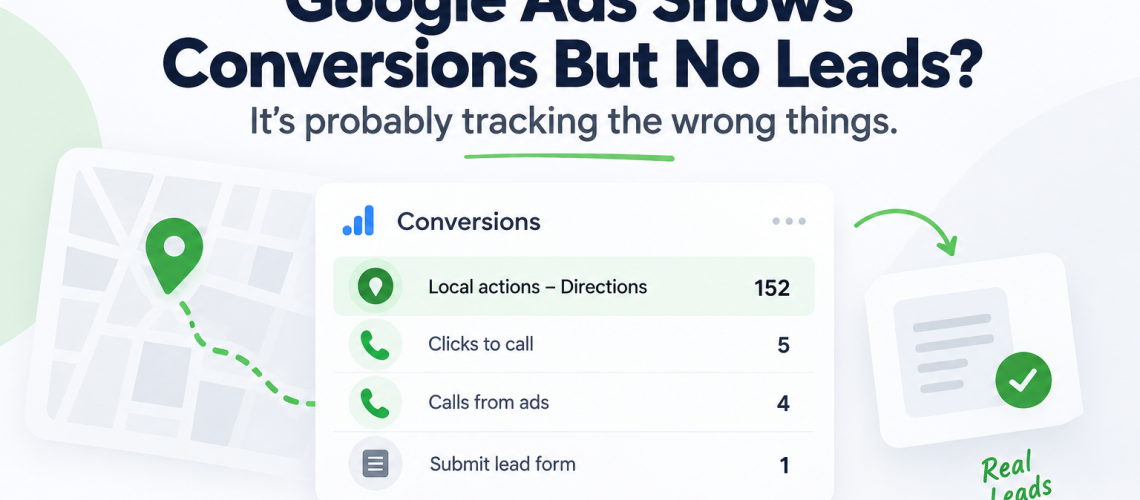
Google Ads can show plenty of conversions without bringing in any new clients because a “conversion” isn’t always the same as a lead.
In one account we reviewed, 152 of 162 reported conversions (94%!) were people tapping “Directions” on a Google Business Profile, not phone calls or form fills. If your Google Ads shows conversions but no leads, check what’s actually being counted before assuming the campaigns, or the agency running them, are the problem.
Contents
- What Counts as a Conversion in Google Ads
- The Client With 162 “Conversions” and Five Real Leads
- Why Google Counts Local Actions as Conversions
- How to Check Your Own Google Ads Conversion Tracking
- Reported Conversions vs. Real Leads
- What Changed When the Right Things Got Measured
- The Honest Caveat: Our Own Wasted Spend
- Sources
What Counts as a Conversion in Google Ads
A “conversion” in Google Ads is whatever action the account has been told to count as valuable when the campaign was setup.
Google groups those actions into categories like Submit lead form, Book appointment, Request quote, Get directions, Contact, and Page view. An account can be told to count any combination of them, and most inherited accounts count more than the owner realizes.
Some categories mean a phone rang or a form submission landed in an inbox. Others are triggered when someone taps a button on a map. Both show up in the same “Conversions” column unless someone goes tells the account otherwise.
If your account has plenty of conversions and nothing to show for them in the calendar or the bank account, you’re tracking the wrong type of conversions. Trusting the total instead of the categories underneath it is one of the most common Google Ads mistakes small businesses make, and it’s important to double check this jumping to the conclusion that the campaigns themselves are the problem.
The Client With 162 “Conversions” And Only Five Real Leads
We took over Google Ads for a Canadian outdoor sauna company that sells high-end, premium saunas that range in price from $7,000 to $27,000. For this company, each lead can be extremely valuable.
Their previous Smart campaign had spent $1,312.43 on 1,690 clicks and reported 162 conversions. If you do the math, that’s an $8.10 cost per conversion. Those kind of numbers looks good in a monthly report, but they only make up part of the story.
Here’s what those 162 conversions actually were:
| Conversion action | Category | Count |
|---|---|---|
| Local actions – Directions | Get directions | 152 |
| Clicks to call | Contact | 5 |
| Calls from Smart Campaign Ads | Phone call lead | 4 |
| Business profile – Tracked call | Phone call lead | 1 |
152 of those 162 conversions, 94%, were people tapping “Directions” on the company’s Google Business Profile. Five were completed phone calls. The reported cost per conversion was $8.10. The cost per completed phone call was $262.49.
Why Google Counts Local Actions as Conversions
In many cases, nobody deliberately sets these conversions up. Once location assets are active, Google Ads can automatically create conversion actions such as “Clicks to call” and “Local actions – Directions”. Because they are added automatically, advertisers may not realize they are being counted.
In this client’s account, these local actions were set as primary account-level goals. That meant they appeared in the campaign’s conversion totals and influenced its bidding. A tap for directions was effectively treated as a conversion alongside a completed phone call—even though the two actions have very different value to the business.
Nothing was technically broken. The account was following Google’s default setup. The problem was that its conversion goals did not reflect what the business actually considered a lead.
How to Check Your Google Ads Conversion Tracking
Start by opening Goals → Conversions → Summary in Google Ads. This page lists every conversion action in the account, including its category and whether it is set as Primary or Secondary. This setting helps determine which actions appear in the “Conversions” column and which ones Google’s bidding can optimize toward.
Before trusting the campaign’s conversion total, check the Category column:
| Conversion category | Is it a genuine lead? |
|---|---|
| Phone call lead | Yes, provided the call meets your duration threshold |
| Submit lead form | Yes |
| Get directions | No |
| Page view | No |
| Engagement | No |
| Contact or clicks to call | Not necessarily—it records a click, not a completed call |
If actions such as Get directions, Page view or Engagement are marked as Primary and included in the campaign’s goals, Google may optimize toward those interactions alongside completed calls and form submissions. These actions are often added through Google’s default settings, not because someone deliberately chose to treat them as leads.
How to fix it. Find the goal containing the unwanted conversion action and select Edit goal. Expand Conversion action optimization, change the action from Primary to Secondary, and save your changes.
Secondary actions will still be tracked under “All conversions”, so you will not lose the data. They will simply stop contributing to the main “Conversions” total or influencing bidding as primary goals.
What to expect afterward. Your future conversion totals may drop sharply, but that is a sign the fix is working. If a campaign previously reported 162 conversions but most were taps for directions, the number of genuine leads may be closer to five once you isolate completed calls and form submissions.
The lower number can look alarming, but it gives you a much more accurate picture of performance. Changing the settings back simply because the total looks better would mean returning to a metric that overstates how many leads the campaign produced.
What to ask an agency. If someone else manages the account, these three questions are enough to start the conversation without needing to know the platform yourself:
- Which conversion actions are marked Primary for goal in our account right now?
- Of last month’s reported conversions, how many were phone calls or form submissions, and how many were something else?
- What’s the cost per completed call or form, not just the cost per conversion?
If you’d rather have someone go through this with you, book a free discovery call and we’ll walk through what your account is actually counting.
Reported Conversions vs. Real Leads
Here’s how the sauna company’s inherited campaign looks compared to the account Playbook rebuilt after the first 78 days.
| Inherited account | Rebuilt account | |
|---|---|---|
| Reported conversions | 162 | 32 |
| Of those, phone calls or form fills | 10 or fewer | 32 |
| Reported cost per conversion | $8.10 | — |
| Cost per actual lead | $262.49 | $182.09 |
Every one of the rebuilt account’s 32 conversions is a phone call or a form submission. Zero map-directions taps are counted toward that number, because none of them are leads.
Click quality tells the same story from a different angle:
| Impressions | Clicks | CTR | |
|---|---|---|---|
| Inherited campaigns | 342,170 | 4,850 | 1.42% |
| Playbook-managed campaigns | 25,204 | 1,367 | 5.42% |
The inherited campaign reached 13.6 times more people, but its click-through rate was only about one-quarter as high. That combination—high reach and low engagement—is what you would expect from a campaign optimized for broad local activity rather than clicks from people actively looking to buy.
What Changed When We Started Measuring Real Leads
A healthy-looking conversion total can hide a campaign that is producing very little for the business.
In this inherited account, a separate Smart campaign targeting British Columbia ran for three months. It generated 223,361 impressions and 2,451 clicks on $1,258.58 in ad spend, but recorded zero conversions.
The problem went unnoticed because the account-level conversion total still looked healthy. The 152 direction requests generated by the other campaign were masking the lack of actual leads.
Once Playbook rebuilt the account’s conversion tracking as part of our Google Ads management, we could evaluate performance using completed calls and form submissions instead of local interactions.
In Ontario, cost per lead fell from $243.63 in the first month to $186.77 in the second and $107.23 in the third. Across Ontario and British Columbia in August, $2,313.46 in ad spend generated 17 verified leads at an average cost of $136.09.
Before the rebuild, reported conversions outnumbered real leads by 16 to one. Since then, the conversion total has matched the number of verified leads every month.
Accurate Tracking Makes Better Optimization Possible
Correct conversion tracking does not guarantee that every click will be valuable. It gives you the information needed to identify which searches deserve more budget and which ones should be excluded.
For example, our search-term reviews found that $561.66 had been spent on searches for competing sauna brands, producing one lead. Competitor searches are not automatically irrelevant—someone comparing brands may still become a customer—but the return did not justify continuing to spend at that level.
That gave us a clear optimization decision: exclude the underperforming competitor terms and redirect the budget toward searches generating stronger lead volume.
This is what ongoing Google Ads management should do. The goal is not to pretend that every click will produce a lead. It is to spot inefficient patterns, stop paying for them and continually shift more of the budget toward what works.
Accurate conversion tracking makes that possible. Instead of optimizing toward an inflated number on a dashboard, every decision can be tied to an actual business outcome.
Sources
Frequently Asked Questions
A conversion in Google Ads is any action you’ve told the platform to count as valuable, then marked as a goal. That can be a phone call or a form submission, both real signs of a lead, or it can be something like a map-directions tap or a page view, neither of which confirms a lead happened. Check the Category column under Tools & Settings, then Conversions, to see exactly which actions are being counted in your account.
This usually happens because Google-hosted “local actions,” like directions taps or website visits from your Business Profile, are counted as conversions alongside real leads. Google creates these automatically once your location assets are active, and they can end up marked as the account’s main goal without anyone choosing that. The fix is checking your Conversions summary and downgrading the categories that aren’t phone calls or form fills.
The most common mistake is treating every number in the Conversions column as a lead. In one inherited account we reviewed, 152 of 162 reported conversions were people tapping “Directions” on a Google Business Profile, not phone calls or form submissions. The reported cost per conversion looked like $8.10; the real cost per completed phone call was $262.49.
Go to the Goals menu, then Conversions, then Summary. Read the Category column for each conversion action and check which ones are marked Primary for goal, since that setting decides what your bidding actually optimises toward. “Phone call lead” and “Submit lead form” are real leads; “Get directions,” “Page view,” and “Engagement” are not.
No. A map-directions tap means someone was looking at a location, not that they called or filled out a form. In the account we reviewed, 152 directions taps were counted as conversions alongside only five completed phone calls, and the account’s bidding settings treated the two as equally valuable.
Start by reading the Category column in your Conversions summary rather than trusting the total. If most of the volume comes from categories like directions or page views instead of phone calls and form submissions, the number on your dashboard is measuring the wrong thing. If you want a second opinion on what your account is actually counting, book a free discovery call and we’ll go through it with you.
No, and this is exactly where the inherited sauna account looked healthy on paper. An $8.10 cost per conversion sounds excellent until you learn that 94% of those conversions were map-directions taps rather than leads. A higher cost per conversion built entirely from phone calls and form fills is a better number than a lower one padded with local actions.
